
23.8 Inch LED Lighted Flat Capacitive Touch Display
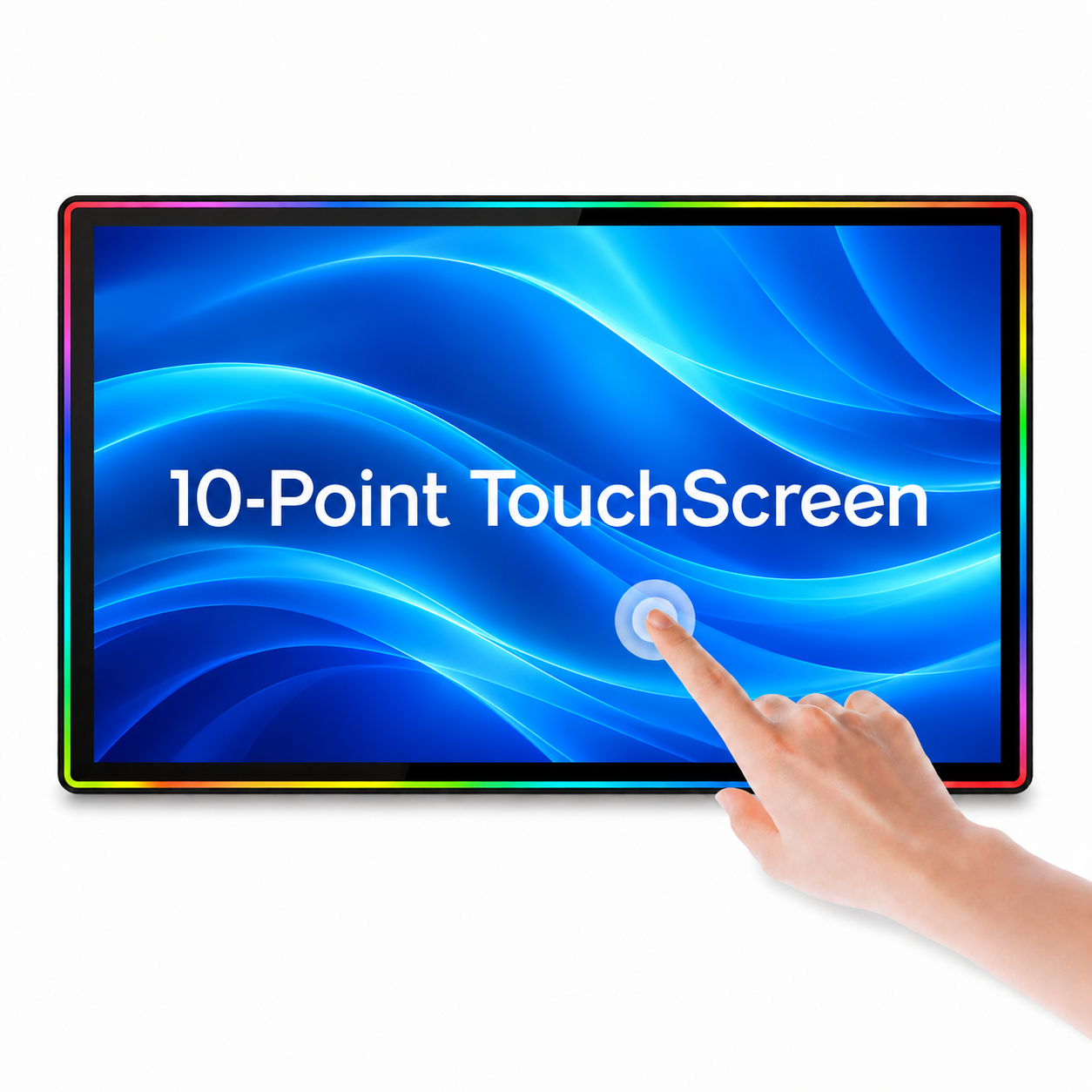
DZLL-23.8A 是一款 23.8 英寸平面电容式触摸显示屏,分辨率为 1920 × 1080,支持 10 点投射式 G+FF 触摸,采用工业级铝合金边框和 RGB 动态运行灯。配备 HDMI / DVI / VGA 视频输入接口和 100 × 100 毫米 M4 安装孔。
Specifications & Installation
DZLL-23.8A型号是一款 23.8 英寸平面 LED 背光电容式触摸显示屏,采用工业铝合金框架,具有全高清分辨率、10 点投射式触摸和 RGB 动态运行灯,适用于柜体集成。
获取报价|通过 WhatsApp 聊天
Display Demonstration Video
产品类型
| 模型 | DZLL-23.8A |
|---|---|
| 产品分类 | 23.8英寸LED背光平面电容式触摸显示屏 |
| 显示类型 | 平面LED背光触摸显示屏 |
| 显示形状 | 平坦的 |
| 框架材料 | 工业铝合金框架 |
显示规格
| 屏幕尺寸 | 23.8 英寸 |
|---|---|
| 宽高比 | 16:9 |
| 解决 | 1920 × 1080 |
| 刷新率 | 60赫兹 |
| 背光 | 引领 |
| 背光寿命 | 50,000+ 小时 |
| 亮度 | 300 cd/m² |
| 对比度 | 1200:1 |
| 响应时间 | 5毫秒 |
| 视角 | 全视角(水平/垂直) |
| 显示颜色 | 10.7亿 |
触摸规格
| 触控技术 | 投射式 G+FF 电容式触摸技术 |
|---|---|
| 接触点 | 十分制 |
| 触控响应时间 | 小于5毫秒 |
| 触觉精度 | 4096 × 4096 |
| 触摸界面 | USB 2.0 / USB 3.0 |
| 表面硬度 | 莫氏硬度7的钢化玻璃 |
| 玻璃厚度 | 2毫米 |
| 司机 | 免驱动,即插即用 |
| 协议兼容性 | 3M / TTL / HID / RS232 |
| 装饰框架灯 | RGB动态跑步灯 |
| 照明模式 | RGB动态过渡,可调节模式 |
| 照明控制 | 系统控制(可调模式) |
接口和电源
| 视频输入 | HDMI / DVI / VGA |
|---|---|
| 音频接口 | 音频输入/输出 |
| USB触控端口 | 2 |
| RS232触摸端口 | 是的 |
| 交流电源输入 | |
| 直流电源输入 | |
| 电源适配器输出 | 5A适配器 |
| 电缆长度 | 1.5米 |
结构、尺寸和安装
| 外貌 | 带集成LED灯框的平板显示器 |
|---|---|
| 住房结构 | |
| 显示器尺寸(宽×高×厚) | 604.14 × 373.70 × 60.55 毫米 |
| 后箱尺寸(宽×高) | 300 × 220 毫米 |
| 安装孔间距 | 100 × 100 毫米 |
| 安装孔规格 | M4 |
| 安装 | 嵌入式/安装式 |
| 净重 |
包装和随附配件
| 包装尺寸 | 65 × 11 × 43 厘米 |
|---|---|
| 毛重 | 8.6公斤 |
| 包装 | 袋子+泡沫+纸箱 |
| 随附配件 | 电源线、5A适配器、VGA线、HDMI线、USB线、触摸线、遥控器、螺丝 |
| 认证 |
定制和供应
| 最低订购量 | 1 件 |
|---|---|
| 定制 | 尺寸/形状、触摸、安装方式、玻璃、RGB 灯光、接口、创业公司标志。 |
| 保修单 |
Frequently Asked Questions
Is this monitor compatible with my slot machine cabinet?
Compatibility depends on the cabinet opening, mounting holes, rear clearance, video input and touch controller protocol. Send your cabinet drawing, existing monitor label and connector photos so these can be checked before ordering. Screen size alone is not enough to confirm a fit.
Can this display replace my existing monitor?
Compare the outer dimensions, rear housing, mounting pattern, connector positions, video signal and touch protocol with your current unit. Send front and rear photos and the model label. A monitor with the same diagonal size can still have a different frame or mounting arrangement.
What information should I send for a quotation?
Send the product model, quantity, destination, cabinet opening dimensions, mounting drawing, required video input and touch controller protocol. For a replacement, include photos of the existing monitor label and all connectors.
Do I need a video cable and a separate touch cable?
Yes. The video connection carries the image, while the touch connection sends touch data to the mainboard. Connect both according to the confirmed configuration. A working image does not mean that the touch cable is connected correctly.
Is the touch technology PCAP or infrared?
Check the individual product specification. Our monitor range includes capacitive and infrared versions; they use different touch structures and may need different mounting clearances. Tell us which type your cabinet requires before ordering.
Does 10-point touch mean every game supports ten fingers?
Ten-point touch describes the touch panel capability. The mainboard, controller protocol and application determine how many touches the machine actually uses. Confirm the complete hardware configuration for your project.
Which video input should I use?
Use an input supported by both the monitor configuration and your mainboard. Send the mainboard output type and required resolution. Port availability alone does not guarantee support for every signal or resolution.
How do I confirm the correct power adapter?
Check the adapter output voltage, current rating, connector size and polarity against the monitor label. The current rating alone is insufficient. Use the supplied or approved adapter and confirm mains compatibility before connection.
Can the LED colors and lighting modes be customized?
For LED models, tell us the required colors, running or steady effects and control method. Available modes and controllers depend on the model. Confirm the lighting configuration before sample approval or bulk production.
How do I check the mounting holes and screw length?
Compare the mounting drawing with your cabinet. Check hole spacing, thread size, rear clearance and permitted screw depth. Use suitable screws and avoid forcing an incompatible thread or using screws that are too long.
What should I check if the image works but touch does not?
Check the separate touch cable, USB or serial connection, controller protocol and mainboard touch settings. Try the approved cable and port. Send the monitor and controller labels, connector photos and a short video if assistance is needed.
What should I check if touch works but there is no image?
Check monitor power, the selected video input, the video cable and the mainboard output resolution. Test with a known working cable or compatible video source. Send photos of the wiring and any on-screen message for review.
How is the monitor packed and what is included?
Check the packing and accessory list for the individual model. Standard packing may include a protective bag, foam and carton. Confirm the adapter, video cables, touch cable, controller and mounting screws listed in your quotation.
Can I order a sample before a bulk order?
Send the model and required configuration to request a sample quotation. Confirm sample availability, price, shipping and production timing before payment. Test the sample in your actual cabinet and mainboard configuration before approving a bulk order.
How do I request warranty or installation support?
Send the order reference, model or serial label, a description of the issue, wiring photos and a short video. Warranty duration and coverage follow the confirmed order terms. Keep the original packing while the issue and return procedure are reviewed.