27 Inch LED Touch Monitor – DZLL-27A
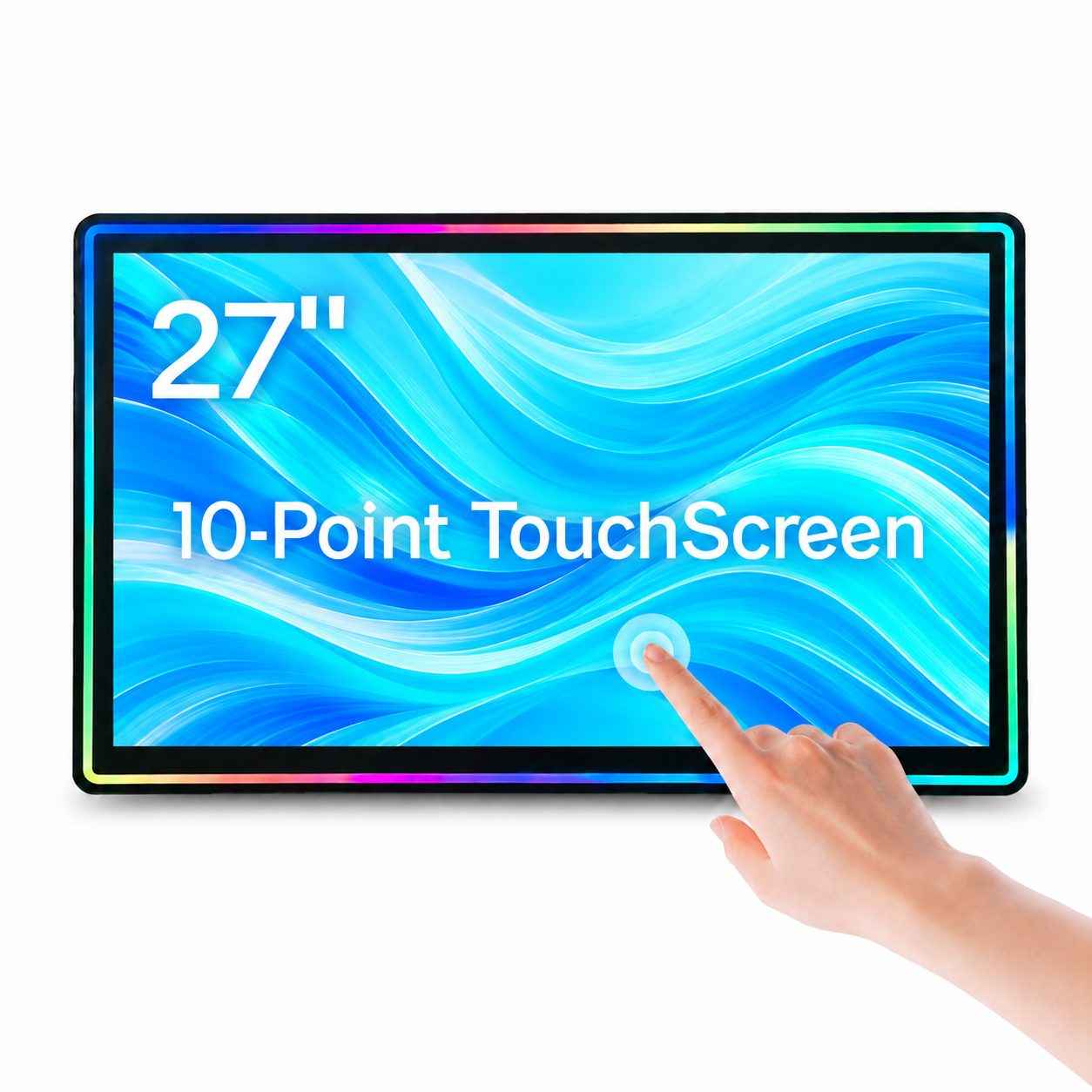
A 27-inch flat capacitive touch monitor for slot machine cabinet integration, with Full HD 1920 × 1080 resolution, 10-point touch, RGB LED aluminum frame and HDMI / DVI / VGA inputs.
Model: DZLL-27A · Type: Flat · Touch: PCAP
Send your cabinet drawing, quantity and destination for a configuration review and quotation.
Specifications & Installation
Product Highlights
- 27-inch Full HD display: 1920 × 1080 resolution with a 16:9 aspect ratio.
- 10-point capacitive touch: projected G+FF touch technology with a USB touch interface.
- RGB LED frame lighting: running and steady lighting modes, controlled by remote.
- Cabinet-ready construction: aluminum alloy frame, metal rear housing and M6 mounting holes.
- Video connections: HDMI, DVI and VGA inputs for hardware integration.
Product Type
| Model | DZLL-27A |
| Display type | Flat LED lighted capacitive touch display |
| Application | Slot machine cabinet integration |
| Frame | High-strength aluminum alloy |
| Rear housing | Metal |
Display Specifications
| Screen size | 27 inch |
| Aspect ratio | 16:9 |
| Resolution | 1920 × 1080 |
| Refresh rate | 60 Hz |
| Brightness | 300 cd/m² |
| Contrast ratio | 1200:1 |
| LCD response time | <5 ms |
| Viewing angle | 178° (H) / 178° (V) |
| Backlight | LED |
Touch & RGB Lighting
| Touch technology | Projected G+FF capacitive |
| Touch points | 10-point |
| Touch response time | <5 ms |
| Touch interface | USB |
| Glass | 2 mm tempered glass; Mohs hardness 7 |
| Frame lighting | RGB LED running light |
| Lighting modes | Running / steady / customizable |
| Lighting control | Remote control |
Interfaces & Power
| Video inputs | HDMI / DVI / VGA |
| Audio | Audio input / output |
| USB touch ports | 2 |
| RS232 touch port | Available; confirm the required controller configuration |
| AC power input | 110 / 220 V |
| Adapter | 7 A adapter; confirm output voltage before connection |
| Cable length | 1.5 m |
Dimensions & Installation
| Monitor (W × H × T) | 669.60 × 408.60 × 56.00 mm |
| Rear box (W × H) | 300 × 220 mm |
| Mounting hole spacing | 100 × 100 mm / 280 × 200 mm |
| Mounting hole thread | M6 |
Packaging & Included Accessories
| Package size | 80.5 × 13.5 × 49.5 cm |
| Gross weight | 11.1 kg |
| Packaging | Bag + foam + carton |
| Accessories | Power cord, 7 A adapter, VGA cable, HDMI cable, USB cable, touch cable, remote control and screws |
| Warranty | 1 year |
Installation & OEM Requirements
Send your cabinet opening dimensions, mounting drawing and existing monitor photos. Confirm the outer frame, rear housing clearance, connector positions and screw depth against your cabinet.
RGB colors and lighting modes, mounting arrangements and interface configurations can be discussed for your project. Send the model, quantity, cabinet drawing, required video input and touch controller protocol so the configuration can be checked before quotation.
Frequently Asked Questions
Is this monitor compatible with my slot machine cabinet?
Compatibility depends on the cabinet opening, mounting holes, rear clearance, video input and touch controller protocol. Send your cabinet drawing, existing monitor label and connector photos so these can be checked before ordering. Screen size alone is not enough to confirm a fit.
Can this display replace my existing monitor?
Compare the outer dimensions, rear housing, mounting pattern, connector positions, video signal and touch protocol with your current unit. Send front and rear photos and the model label. A monitor with the same diagonal size can still have a different frame or mounting arrangement.
What information should I send for a quotation?
Send the product model, quantity, destination, cabinet opening dimensions, mounting drawing, required video input and touch controller protocol. For a replacement, include photos of the existing monitor label and all connectors.
Do I need a video cable and a separate touch cable?
Yes. The video connection carries the image, while the touch connection sends touch data to the mainboard. Connect both according to the confirmed configuration. A working image does not mean that the touch cable is connected correctly.
Is the touch technology PCAP or infrared?
Check the individual product specification. Our monitor range includes capacitive and infrared versions; they use different touch structures and may need different mounting clearances. Tell us which type your cabinet requires before ordering.
Does 10-point touch mean every game supports ten fingers?
Ten-point touch describes the touch panel capability. The mainboard, controller protocol and application determine how many touches the machine actually uses. Confirm the complete hardware configuration for your project.
Which video input should I use?
Use an input supported by both the monitor configuration and your mainboard. Send the mainboard output type and required resolution. Port availability alone does not guarantee support for every signal or resolution.
How do I confirm the correct power adapter?
Check the adapter output voltage, current rating, connector size and polarity against the monitor label. The current rating alone is insufficient. Use the supplied or approved adapter and confirm mains compatibility before connection.
Can the LED colors and lighting modes be customized?
For LED models, tell us the required colors, running or steady effects and control method. Available modes and controllers depend on the model. Confirm the lighting configuration before sample approval or bulk production.
How do I check the mounting holes and screw length?
Compare the mounting drawing with your cabinet. Check hole spacing, thread size, rear clearance and permitted screw depth. Use suitable screws and avoid forcing an incompatible thread or using screws that are too long.
What should I check if the image works but touch does not?
Check the separate touch cable, USB or serial connection, controller protocol and mainboard touch settings. Try the approved cable and port. Send the monitor and controller labels, connector photos and a short video if assistance is needed.
What should I check if touch works but there is no image?
Check monitor power, the selected video input, the video cable and the mainboard output resolution. Test with a known working cable or compatible video source. Send photos of the wiring and any on-screen message for review.
How is the monitor packed and what is included?
Check the packing and accessory list for the individual model. Standard packing may include a protective bag, foam and carton. Confirm the adapter, video cables, touch cable, controller and mounting screws listed in your quotation.
Can I order a sample before a bulk order?
Send the model and required configuration to request a sample quotation. Confirm sample availability, price, shipping and production timing before payment. Test the sample in your actual cabinet and mainboard configuration before approving a bulk order.
How do I request warranty or installation support?
Send the order reference, model or serial label, a description of the issue, wiring photos and a short video. Warranty duration and coverage follow the confirmed order terms. Keep the original packing while the issue and return procedure are reviewed.